Select the moment.
A favourite track, one artist, a mood, a decade or an occasion.
Music for the moment.
Select+ is an Apple Music playlist creator for iPhone. Start with a favourite track, an artist or the moment you’re in. Create a mix that fits.

Designed for iPhone and CarPlay, with an Apple Watch companion.
Apple Music subscription required for playback.
01 / The moment
The difficult part is turning it into music. Select+ takes a little direction and gets you from “what should I play?” to playing.
Choose your starting point. Find your sound. Keep the mixes you love.
A favourite track, one artist, a mood, a decade or an occasion.
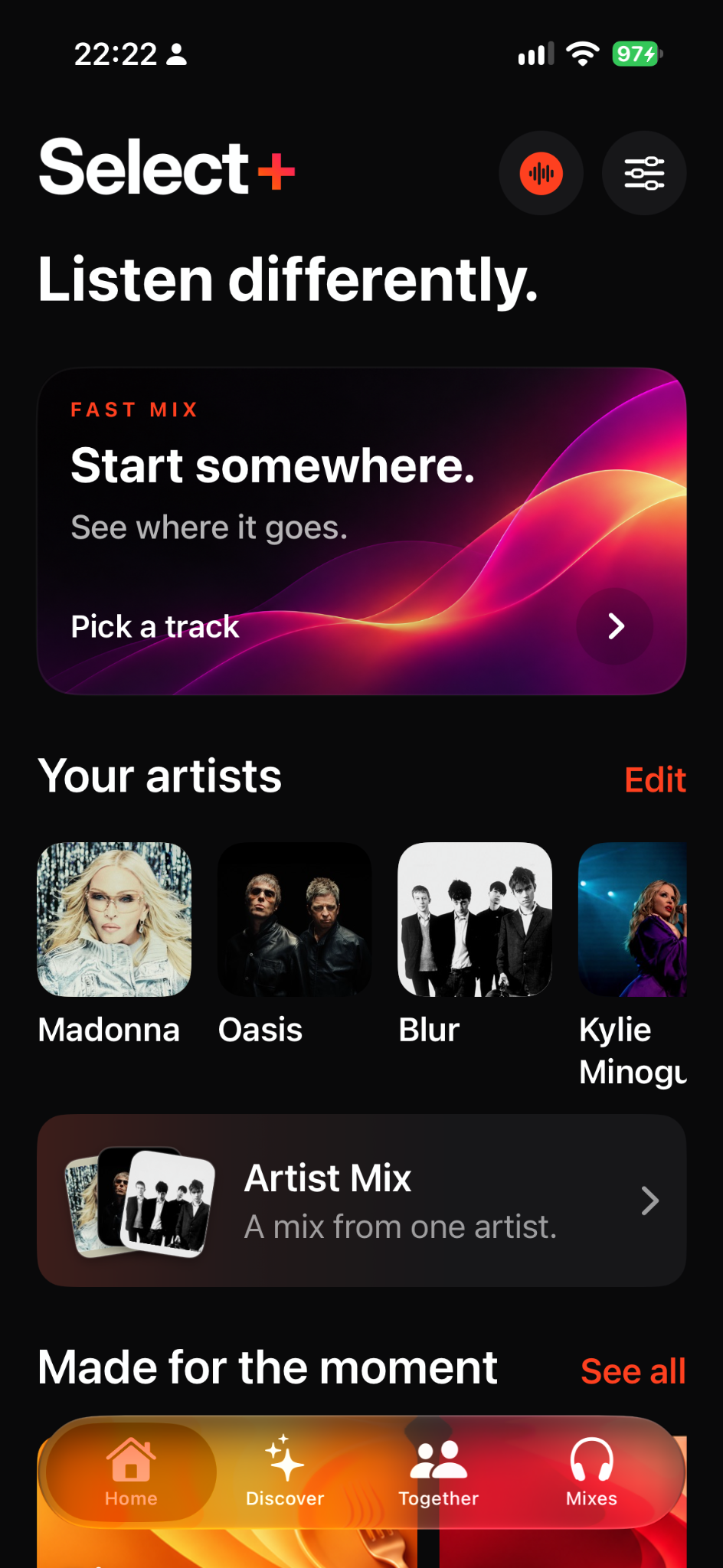
Follow a track with Fast Mix, focus on one artist with Artist Mix, or choose the mood and energy for an Event Mix.
Play now. Save, share or add to Apple Music only when you choose.
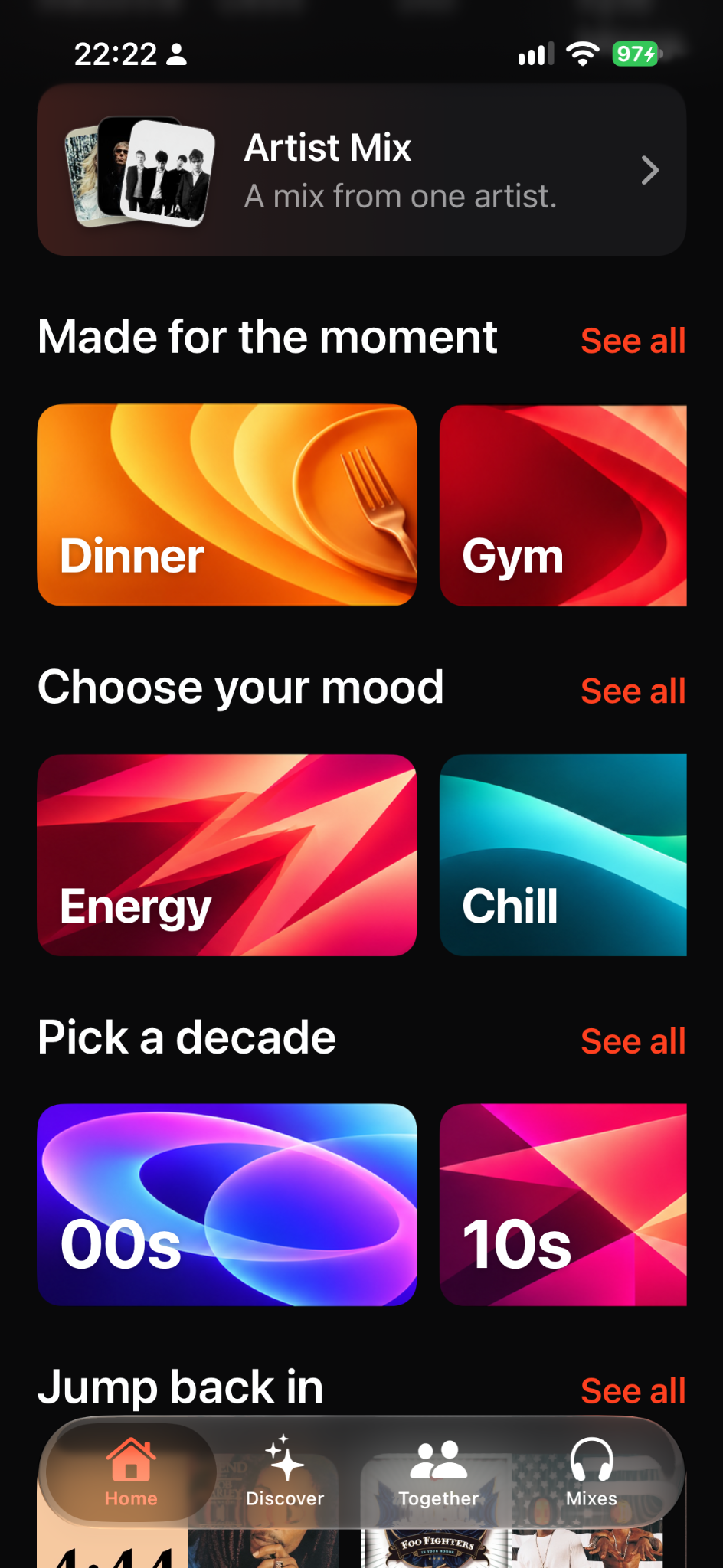
Pick a track with Fast Mix or focus on one artist with Artist Mix. Browse Made for the moment, Choose your mood and Pick a decade on Home.
Start with a track
A mix from one artist
Made for the moment
Choose your mood
Pick a decade
Pick every song yourself
More ways to mix
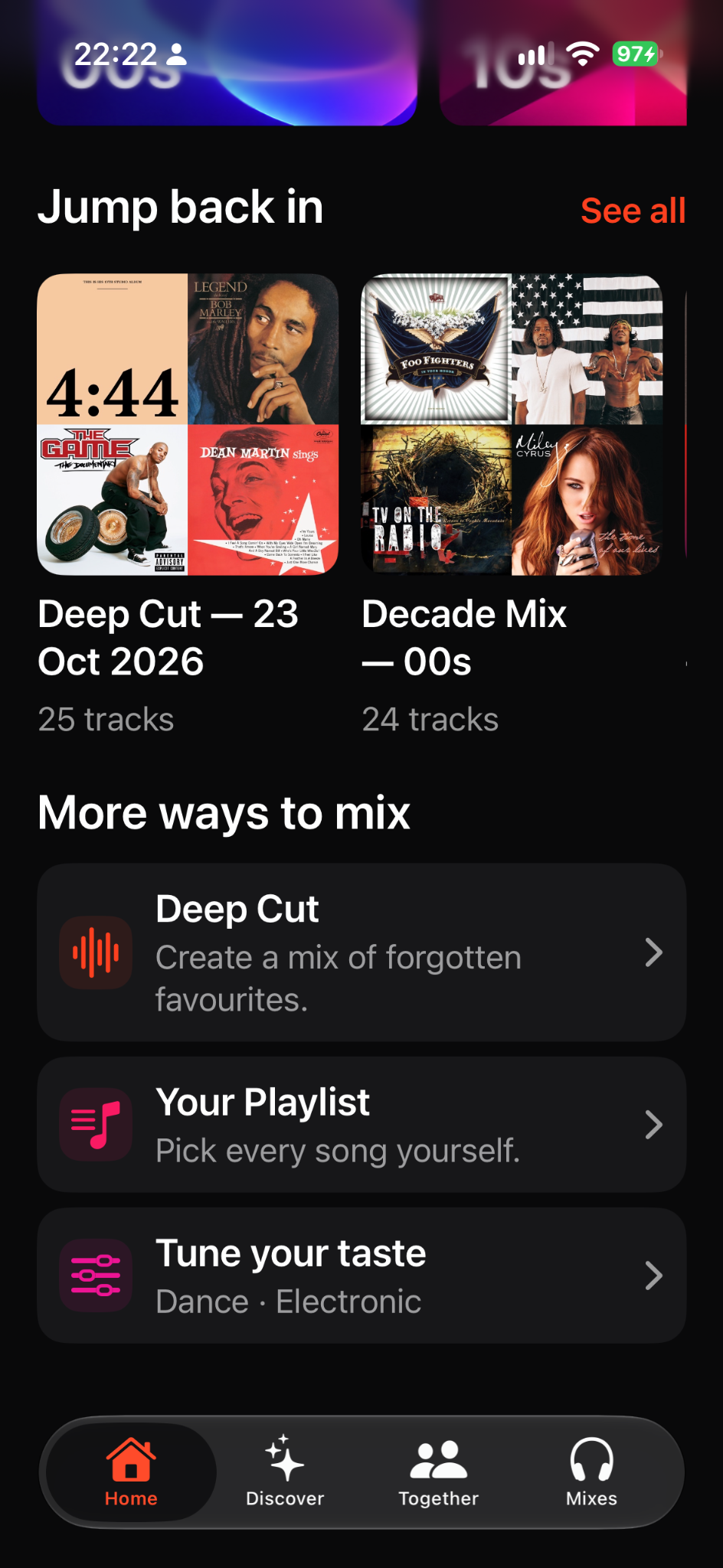
Return to a mix with Jump back in. Rediscover forgotten favourites with Deep Cut, pick every song with Your Playlist, or refine your preferences with Tune your taste.
From the room to your mix
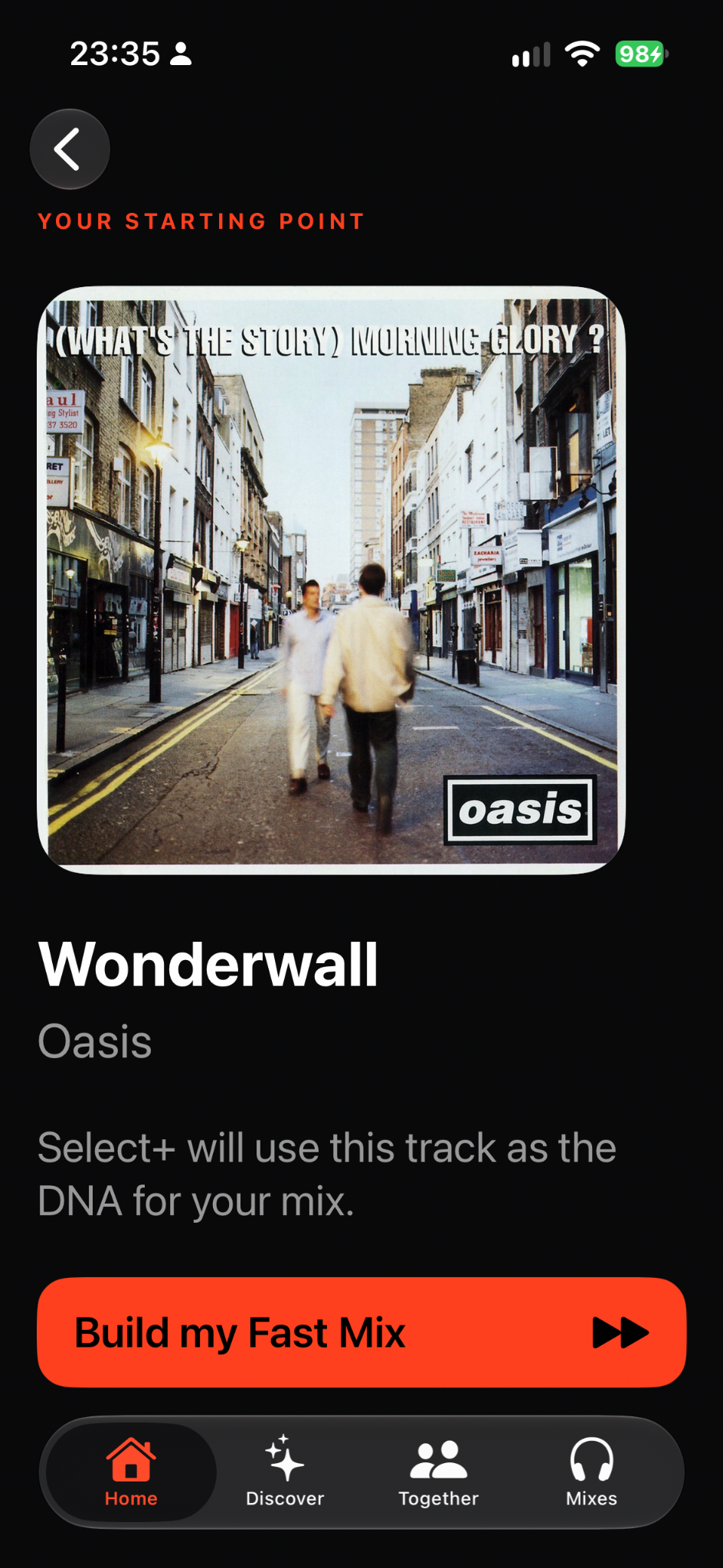
A song catches your ear. Identify it with Shazam in Select+, then use that track as the starting point for a Fast Mix. The music around you becomes the music you discover next.
Find your next thing
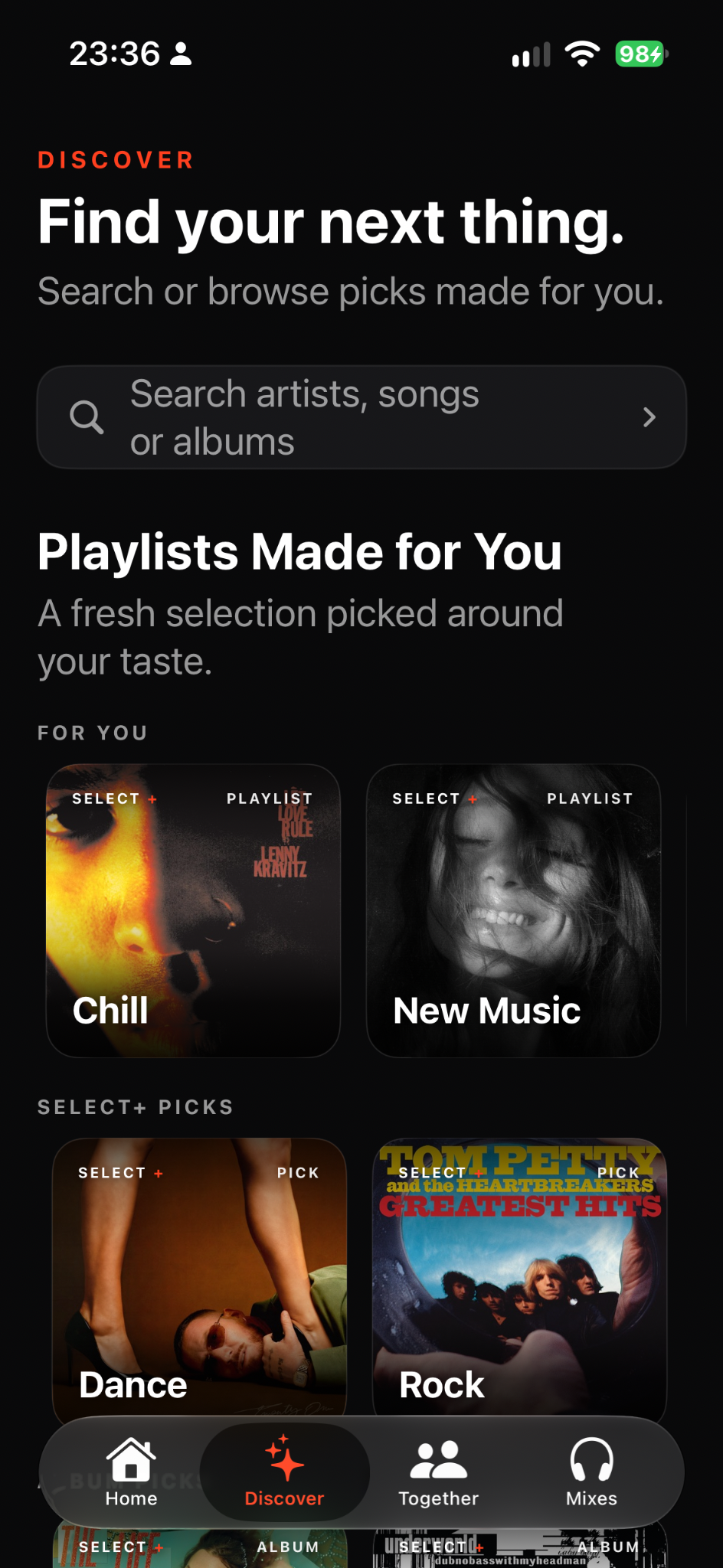
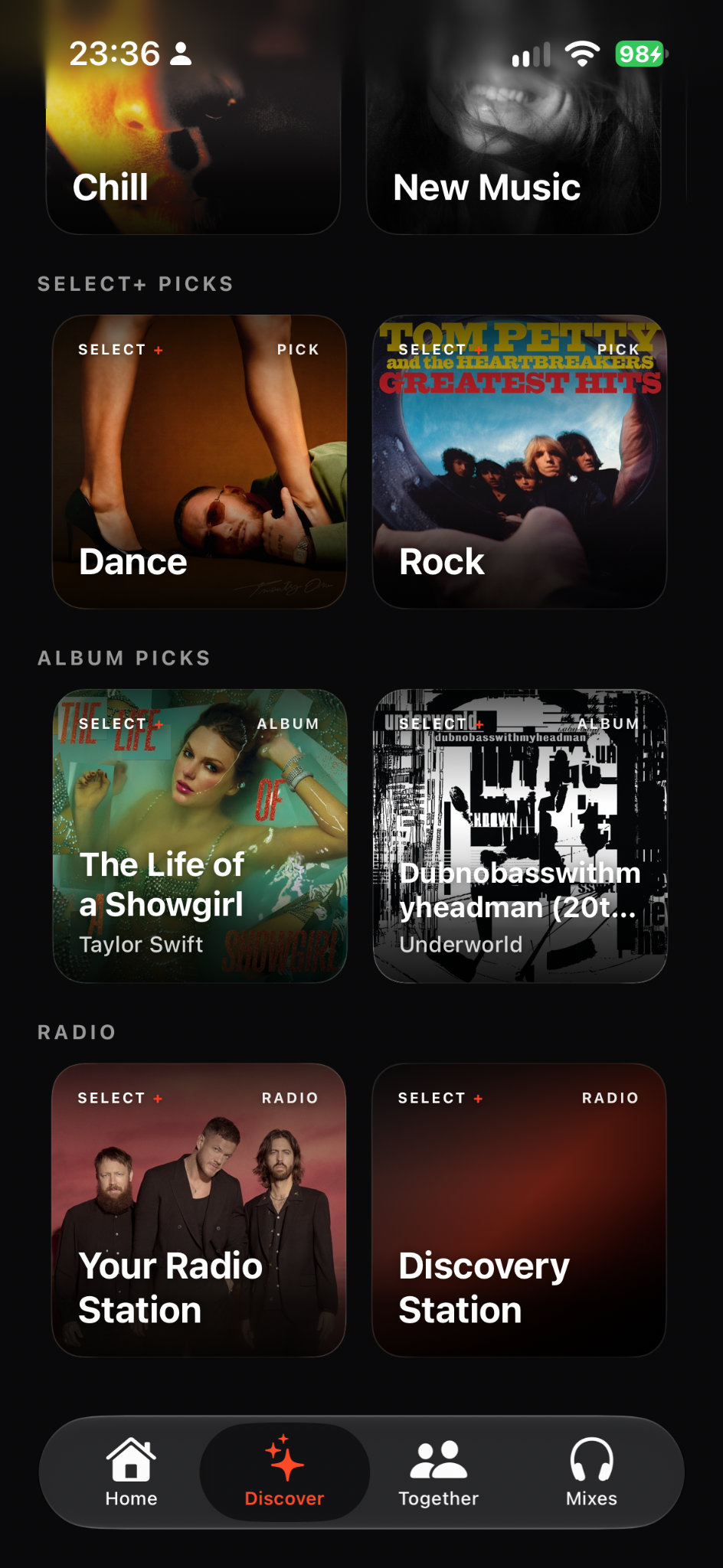
Find playlists picked around your taste, explore Select+ Picks, settle into an album or let radio take you somewhere new. Search for an artist, song or album when you know where to begin.
A fresh selection around your taste.
More directions to explore.
Give a whole record your attention.
Your station. Or something unexpected.
The social mix
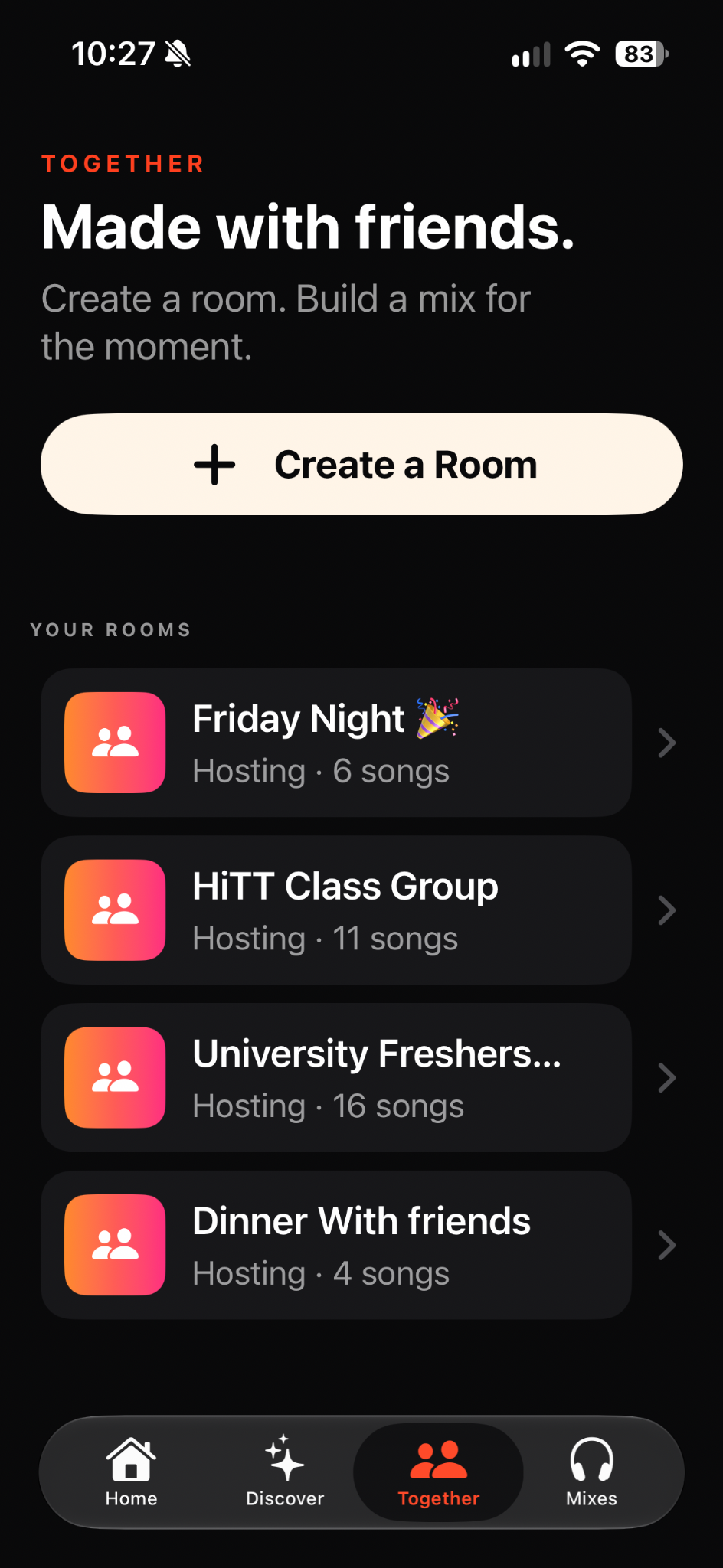
Make a room for the moment. Everyone adds the songs they love. When the mix feels right, play it or save it to your Mixes.
The personal mix
Open Your Playlist under More ways to mix on Home. Give it a name and choose every song yourself. Play it, save it to Mixes or share it when you're ready.
03 / Built around choice
Select+ helps you reach the music faster without taking control away. Generated mixes remain temporary until you decide they deserve a place.
Less waiting between the idea and the first track.
Your taste stays central while discovery stays open.
Use the heart or save control to keep a mix. Adding it to Apple Music is a separate choice.
Recent listening helps keep the next mix feeling fresh.
Select+ in CarPlay
Return to saved mixes, start a familiar route into music and keep playback close at hand through a restrained, native-feeling CarPlay experience.
Select+ on Apple Watch
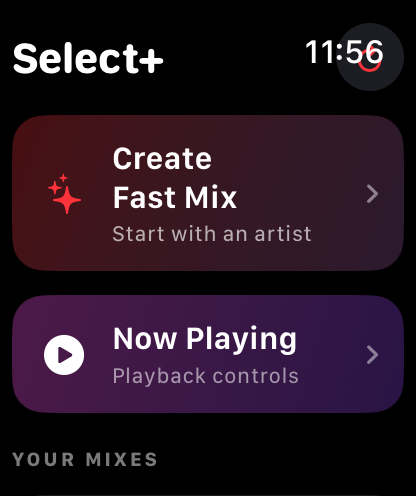
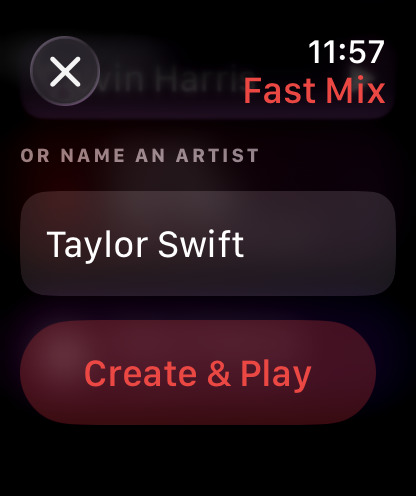
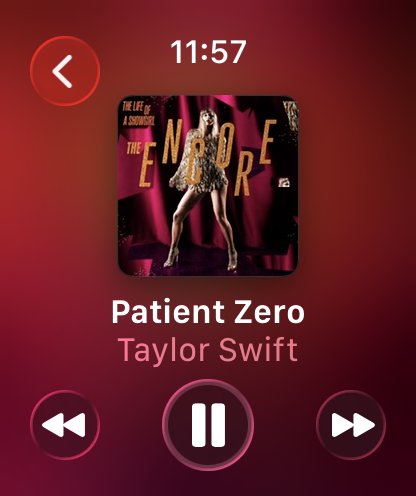
Start a Fast Mix with an artist, open your Mixes and control what's playing from your wrist.
The Apple Watch companion brings the essentials closer.
05 / Simple by design
Then unlock unlimited mix creation for a £3.99 one-off lifetime payment in the UK. No Select+ subscription. Local pricing is shown in the App Store.
An Apple Music subscription is required for playback.
06 / The essentials
Select+ (Select Plus) is an independent iPhone music app operated by Lucky Lemon Ltd. It creates personalised Apple Music playlists from favourite artists, tracks, moods, decades and occasions. Select+ is not affiliated with Apple Inc. Learn more about Select+.
No. Select+ is an independent playlist creation app operated by Lucky Lemon Ltd. It is separate from Apple Music Select and is not affiliated with, sponsored by or endorsed by Apple Inc.
Yes. Together lets you create a room and invite friends to add songs to a shared mix. Play the mix or save it to Mixes when you choose.
Yes. Use Siri to start a Select+ mix hands-free on supported devices. An Apple Music subscription is required for playback.
On iPhone, Fast Mix starts with a track you choose and builds a mix around it. Artist Mix creates a mix from one artist. Both are available from Home.
Browse Made for the moment for occasions such as Dinner and Gym, Choose your mood, or Pick a decade. Jump back in returns you to a mix. Under More ways to mix, Deep Cut creates a mix of forgotten favourites, Your Playlist lets you pick every song yourself, and Tune your taste lets you refine your music preferences.
Use the listening button on Home to identify a song playing around you. The recognised track becomes a starting point for a Fast Mix, ready to play with Apple Music.
Browse For You playlists, Select+ Picks, Album Picks and Radio, or search for an artist, song or album. An Apple Music subscription is required for playback.
No. Select+ helps you choose and shape a playlist; Apple Music provides the catalogue and playback. An active Apple Music subscription is required for playback.
No. Generated playlists remain temporary until you tap the heart or save control. Adding a playlist to Apple Music is always a separate, explicit action.
Yes. Select+ supports a restrained CarPlay experience for returning to saved mixes, discovering music and continuing playback in the car.
Yes. The Apple Watch companion lets you start a Fast Mix with an artist, reach your Mixes and use Now Playing controls.
Select+ is designed for iPhone, with Apple Watch and CarPlay experiences. Android is not currently supported.
Download Select+ free and create your first 3 mixes free. Then unlock unlimited mix creation with a £3.99 one-off lifetime purchase in the UK. No Select+ subscription. Local pricing is shown in the App Store. An Apple Music subscription is required for playback.
Yes. Use Restore Purchases in Select+ with the Apple Account you used for the lifetime unlock.

Select the moment. Select the sound. Playlist done.